Testimonials
Download free trial
Prices
Buy now

Now with FTP support!

"Best few pounds I ever spent ! Highly recommended"


"It is by far the best synchronization program that I have seen"

Home Products Support Purchase Downloads    

AJC Sync v3

AJC Sync v3 offers the following improvements over v2. Please download a free trial.

Unicode file name support.

Multiple sync folder pairs per project.

Microsoft Office 2007 style ribbon interface with customizable colors.

Up to 4 times faster preparing the sync list (the sync list is now called the sync plan).

Up to 6 times faster transferring the files, especially with lots of small files.

Built in AJC Diff v2. This lets you compare files and edit them so that you can just move partial file changes over.

Supports very long folder path names.

Easier and faster to use. You setup the sync logic against the sync folder pair and you can produce a sync plan with one click. You can still change the logic for a one off sync.

You can now sync empty folders.

Track a drive by its volume name instead of drive letter. Useful when those memory sticks etc keep changing drive letter when you plug them in.

FTP sync is now more robust and can keep files in sync without having to alter the time stamp on local files.

The sync plan shows a tree view of folders/files as before but there is also now a list view. This lets you sort by any column so you can, for example, see a list grouped by file extension or direction of transfer.

The sync plan shows itemised totals of files by action. For example you can see how many files are going from left to right. This is very useful if you are expecting all files to be going in one direction and you can see right away if some are not.

On the sync plan you can click on an icon by a total to select files. E.g. click on the icon for the total which says that files have been modified on both sides to select the first file. Right click on this icon to select them all (and then you can set the direction for them all in one go if you like).

Explorer has improved facilities for selecting of files for sync inclusion/exclusion. Previously if you cleared the check boxes next to files in a folder so they would be excluded from the sync, any future new files in that folder would be included. Now you can exclude the whole folder and then re-include files/sub folders that you want so new files will not be automatically included in the sync.

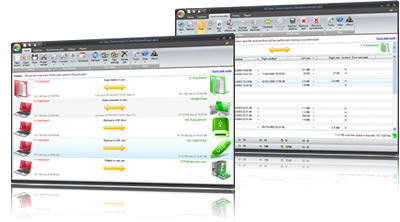
Home tab showing an overview of the sync pairs in the project.

Explorer tab allows you to browse folders and files for the selected sync pair

Sync plan tab shows a comparison of the file system and file actions that will be performed during a synchronize.

History tab shows the previous sync runs and allows you to undo actions if you have archiving turned on.

Report tab shows what happened during the last sync plan creation or sync run.


Compatible with Windows 7/Vista/XP/2003/2008


Free trial

Download a 30 day free trial !


Never lose data !

AJC Active Backup protects your files and gives unlimited undo and revision control


File comparison

AJC Diff compares files as text or binary


" I would recommend AJC Directory Synchronizer unhesitatingly to anyone"


Copyright AJC Software 2002 - 2010
Privacy Policy

File Sync Backup Laptop Continuous data protection Synchronize folders
Synchronize files Automatic backup Sync laptop Share folder Connect computers together Synchronize backup digital photos